

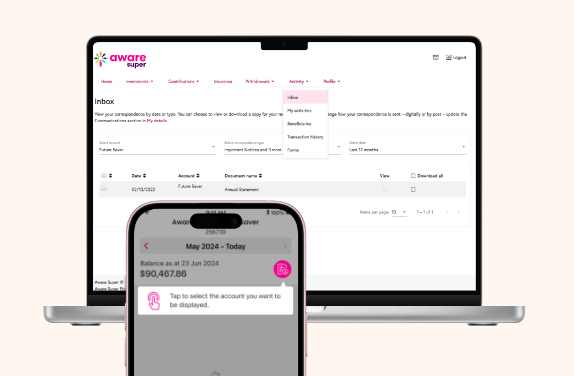
How to understand your annual statement
We've put together a super helpful guide to make reading your statement even easier. From your balance and transactions to your investment returns, we'll walk you through it so you can feel confident and in control of your investment.


Understanding your TelstraSuper transfer and Aware Super statement
If you've moved from TelstraSuper to Aware Super, your FY26 statement might look a little different from what you're used to. Here's what to know.
Your Aware Super annual statement only covers transactions from the date your TelstraSuper balance transferred across.
Anything before that date is on your TelstraSuper exit statement instead. This was sent to you via your preferred communication channel before May 2026.
To see a full picture of your super activity for FY26, you may need to refer to both your TelstraSuper exit statement and your Aware Super annual statement.
Yes. Log in to Member Online to see your full transaction history, including your TelstraSuper activity from 2021 onwards, alongside your Aware Super activity.
This online history may cover more than your annual statement does, since your statement only reports Aware Super activity after the transfer.
Yes. Your TelstraSuper balance moved into your new Aware Super account as a rollover.
To check it yourself:
Find the final balance on your TelstraSuper exit statement.
Compare it to the rollover amount on your Aware Super account or annual statement.
Your annual statement only shows Aware Super activity from your transfer date onwards. Member Online shows more, it includes your TelstraSuper history too, all in one place.
So it's normal to see transactions online that aren't on your statement. Nothing's missing, the two just cover different periods of your super journey.
In your Member Online account, alongside your previous transaction history.
Your final TelstraSuper balance
Transactions before the transfer
The amount rolled over to Aware Super
Read it alongside your Aware Super annual statement for the complete picture of your FY26 super activity.
Visit the Aware Super website and log in with your member number and password. Once you're in, you can see your balance, transactions, statements, and your TelstraSuper history.

Where to next
Once you've read your statement, here are two simple ways to to manage your super account.

